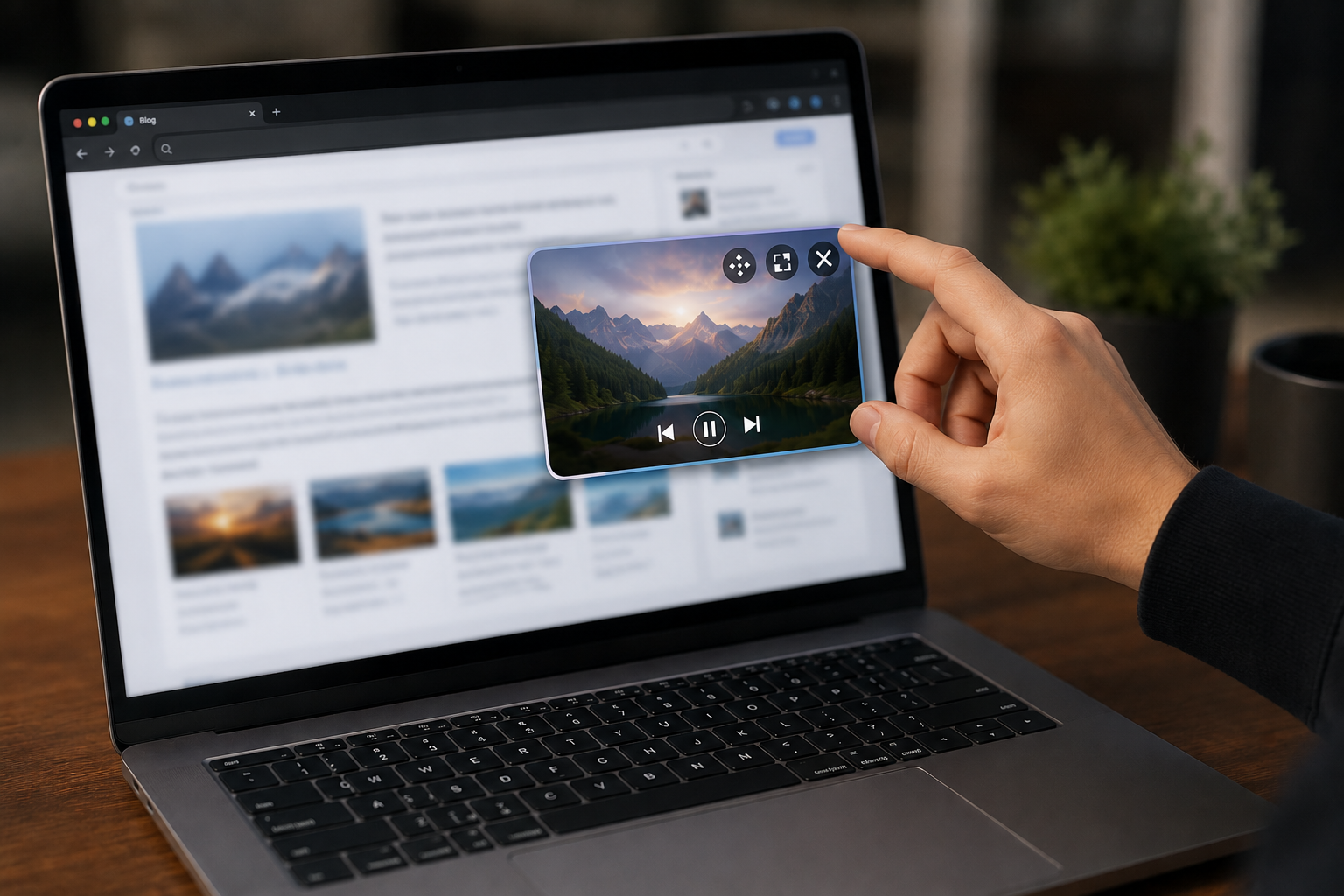
Meet the Next-Generation Browsing Experience: Blogexp PiP Mode
Our content consumption habits on the internet are constantly evolving. Sometimes, while exploring an amazing web page, we want to browse other articles at the same time and continue navigating the homepage without opening new tabs. On traditional platforms, this results in an exhausting experience that forces you to constantly switch between tabs.
Not anymore.
At Blogexp, we are thrilled to announce our latest innovation that takes your browsing freedom to a whole new level: Blogexp Picture-in-Picture (PiP) Mode!
A Seamless Experience Without Boundaries ?
We have integrated the Picture-in-Picture (PiP) experience—which you are used to seeing while watching videos—into the entire web browsing experience for the first time in the world. Now, when you need to return to the homepage while reading a page or content that catches your interest, you no longer have to close that window.
Simply minimize the window, let the web page hover in the corner of your screen, and continue exploring Blogexp freely!
Multitasking Has Never Been This Enjoyable ?
Imagine this: you are reading a great blog article, and the author has embedded a YouTube video or background music inside the post. You want to keep listening to this content (or music), but you also have other things to do on the platform.
This is exactly where you activate the PiP mode! While your music plays or your video runs in the background, you can do the following without any interruption:
- Write a new blog article,
- Browse other blogs,
- Continue messaging with your friends.
Highlighted Outstanding Features
- ?️ Smart Drag & Drop (Smart Snap): The minimized screen doesn't always have to stay fixed. By grabbing our new "Drag" button, you can slide your page window horizontally across the screen. The moment you let go, our smart AI ensures it smoothly aligns to the right or left corner of the screen with a seamless animation.
- Premium "Frosted Glass" Design: Our transparent control panels, featuring a white frosted glass effect, slightly blur the underlying content to offer a flawless modern look. It doesn't clutter your screen; it helps you stay focused on the content.
- Quick Reactions (Quick React): Did you like the content you read? While viewing the page in full-window mode, you can instantly give modern and animated reactions to the content such as ? Helpful, ❤️ Liked, or ? Awesome via the transparent control bar at the bottom.
How to Use It?
- Click on any web page or blog article.
- Open the top toolbar (▼) in the top right corner.
- Press the Minimize (inward-facing arrows icon) button.
- That's it! Your page is waiting for you in the bottom corner of the screen. Drag it as you wish and continue your work uninterrupted.
As the Blogexp team, we are working to make the internet not just more informative, but also a more aesthetic, functional, and experience-rich place.
Try our new PiP mode right now and enjoy this seamless freedom! Don't forget to share your thoughts with us in the comments.